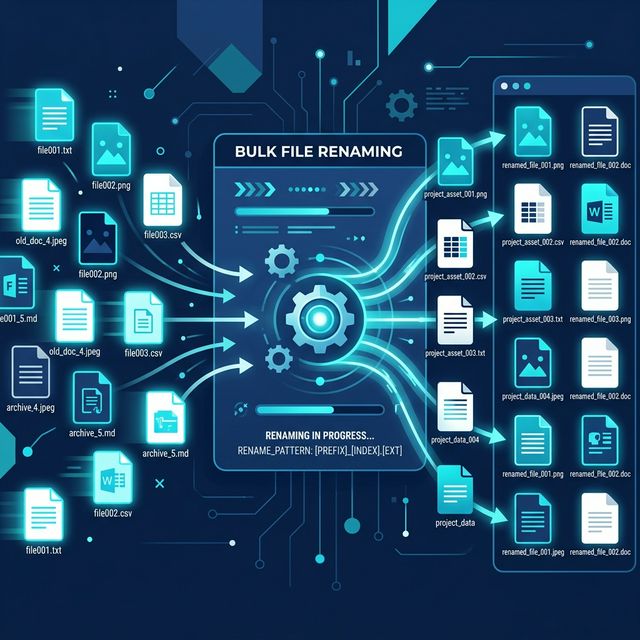
There’s a moment when your files start to feel… messy.
It doesn’t happen suddenly. It builds over time.
You download files, save images, create documents—and before you know it, your folders look something like this:
- final_v2.pdf
- document (1).pdf
- newfile_latest_final.docx
At that point, finding anything becomes frustrating.
And the real problem isn’t the number of files.
👉 It’s the lack of structure.
This is where bulk file renaming becomes incredibly useful.
Not as a technical trick—but as a simple habit that can completely change how you manage your files.
Why File Names Matter More Than You Think
Most people ignore file names.
They save files quickly and move on.
But later, when they need something:
- They search
- They scroll
- They open multiple files
And waste time.
A good file name:
- Tells you what the file is
- Helps you find it instantly
- Keeps everything organized
It’s a small detail with a big impact.
What is Bulk File Renaming?
Bulk file renaming means changing the names of multiple files at once instead of doing it one by one.
For example, instead of renaming:
- photo2.jpg
- photo3.jpg
You can rename them as:
- product-2.jpg
- product-3.jpg
All in a single step.
Why Renaming Files One by One Doesn’t Work
If you have just a few files, manual renaming is fine.
But when you have 50 images, 100 documents, or 1000 files, it becomes:
👉 Repetitive
👉 Error-prone
Bulk renaming solves all of this.
Real-Life Situations Where This Helps
Let’s make this practical.
1. Students
Organizing notes, assignments, and study materials.
Instead of random names, you can use: subject-topic-date.pdf
2. Content Creators
Managing images, videos, and thumbnails.
Consistent naming helps in faster editing and better workflow.
3. Developers
Handling project files, assets, and versions.
Clear naming avoids confusion.
4. Business Owners
Organizing invoices, receipts, and product images.
Structured names improve efficiency.
What Makes a Good File Name?
Before renaming files, it’s important to know what “good” looks like.
A good file name should be:
- Clear
- Consistent
- Descriptive
- Easy to search
Example of Bad File Names
- final.pdf
- newfile.docx
- image123.jpg
Example of Good File Names
- invoice-march-2026.pdf
- product-shoes-black-01.jpg
- meeting-notes-clientA.docx
Common Bulk Renaming Patterns
Here are some simple ways to rename files.
1. Adding Numbers
file-1.jpg → file-2.jpg
2. Adding Dates
report-2026-03-19.pdf
3. Adding Prefix or Suffix
invoice-001.pdf
photo-final.jpg
4. Replacing Words
Change: IMG → product
5. Formatting Names
Convert spaces → hyphens, uppercase → lowercase.
How to Bulk Rename Files (Step-by-Step)
Let’s keep this simple.
Step 1: Select Your Files
Choose all the files you want to rename.
Step 2: Choose a Naming Pattern
Decide on a Prefix (e.g., product-), Numbering (01, 02, 03), or Format.
Step 3: Apply the Changes
Use a tool to rename all files instantly and keep consistency.
Step 4: Review Results
Check the order, spelling, and format.
Manual vs Automated Renaming
| Feature | Manual Renaming | Bulk Renaming Tools |
|---|---|---|
| Speed | Slow | Instant |
| Effort | High | Minimal |
| Accuracy | Error-prone | Consistent |
| Scalability | Limited | Handles large files |
| Productivity | Low | High |
Why Automation Changes Everything
When you automate renaming:
- You save time
- You reduce errors
- You stay consistent
And consistency is what makes file systems actually work.
Tips to Organize Files Better
Bulk renaming is just one part. Combine it with these habits:
1. Use Folders Properly
Group related files together.
2. Follow a Naming Pattern
Stick to one format.
3. Avoid Special Characters
Use letters, numbers, and hyphens.
4. Keep Names Short but Clear
Avoid overly long names.
5. Rename Immediately
Don’t wait. Rename files as soon as you create or download them.
Common Mistakes to Avoid
❌ Using Random Names
Leads to confusion later.
❌ Inconsistent Naming
Makes searching difficult.
❌ Overcomplicating Names
Too much detail can be unnecessary.
❌ Ignoring File Order
Wrong numbering can create chaos.
How Bulk Renaming Improves Productivity
Let’s look at the bigger picture.
When your files are organized:
- You find things faster
- You work more efficiently
- You reduce stress
👉 It’s not just about files. It’s about clarity in your workflow.
What About Privacy?
Many online tools require uploading files.
This can expose file names and store data temporarily.
With browser-based tools:
- Files stay on your device
- No upload required
- Full control
A Better Way to Rename Files
With tools like AuraFile:
- Rename files instantly
- No server involvement
- No data tracking
Everything happens locally.
Real-Life Example
Imagine you run a small online store.
You have 100 product images named IMG_001.jpg and IMG_002.jpg.
Instead of confusion, you rename them as:
- shoes-black-01.jpg
- shoes-black-02.jpg
Now files are searchable, SEO improves, and the workflow becomes smoother.
Why This Small Habit Matters
File naming feels like a small detail.
But small details create big differences over time.
An organized system saves time, effort, and frustration.
Final Thoughts
Bulk file renaming is not just about changing names.
It’s about creating order.
It’s about making your work easier—both now and later.
Once you start using consistent naming:
- You stop searching
- You start finding
And that’s a powerful shift.
Try It Yourself
Rename multiple files instantly and organize your workflow without uploading anything to a server.
Start Renaming →About the Author
Dhivya
Content Contributor
Dhivya is a content creator who writes about technology, productivity, and modern web tools. She focuses on making everyday digital tasks simpler and more efficient.
Frequently Asked Questions
What is bulk file renaming?
Bulk file renaming is the process of changing the names of multiple files at once using a consistent pattern.
Why should I rename files?
Renaming files helps you organize, search, and manage your files more efficiently.
Can I rename files without software?
Basic renaming is possible, but bulk renaming tools make the process much faster and easier.
Is it safe to use online renaming tools?
It depends on the tool. Some require uploading files, which may pose privacy risks.
Does AuraFile upload my files?
No. AuraFile processes everything in your browser. Your files never leave your device.