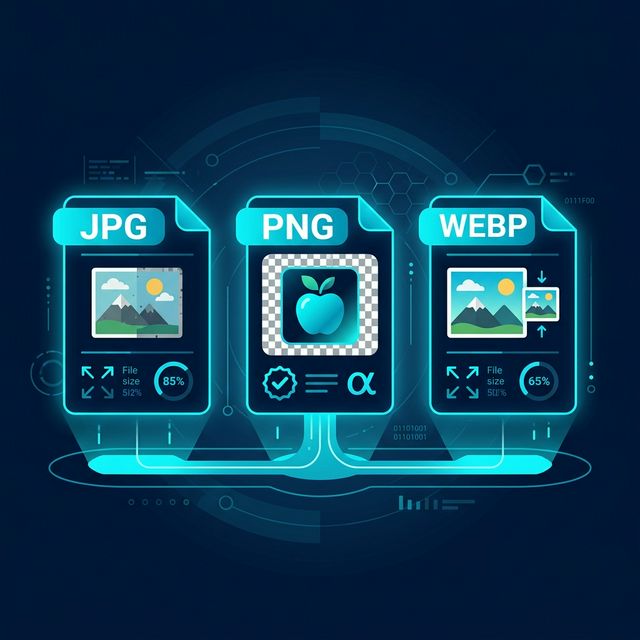
If you’ve ever saved or downloaded an image, you’ve probably noticed something like this:
👉 .png
👉 .webp
At first, they all look the same.
An image is an image, right?
But if you’ve ever tried uploading a file and it was “too large”...
or noticed that one image looks blurry while another looks sharp...
or wondered why your website feels slow...
Then you’ve already felt the difference—without fully understanding it.
And that’s exactly what this article is about.
Not technical definitions. Not confusing jargon.
Just a clear, real-world understanding of:
- What these formats actually mean
- Why they matter
- And which one you should use in different situations
Why Image Format Matters More Than You Think
Let’s start with something simple.
Every image has two important things:
- Quality
- File size
And here’s the catch:
High quality = larger file
Small file = lower quality
Image formats are basically different ways of balancing this trade-off.
And choosing the wrong format can:
- Slow down your website
- Reduce image clarity
- Waste storage space
Understanding the Basics (Without the Technical Headache)
Before we compare formats, let’s simplify something important.
There are two main types of image compression:
1. Lossy Compression
- Removes some data to reduce file size
- Slight loss in quality
- Smaller files
2. Lossless Compression
- Keeps all original data
- No quality loss
- Larger file sizes
Each format you use is built around one of these ideas—or a mix of both.
What is JPG (or JPEG)?
JPG is the most commonly used image format.
You’ll see it everywhere:
- Photos from your phone
- Social media uploads
- Website images
Why JPG is popular
JPG uses lossy compression, which means:
- It reduces file size significantly
- It removes some image data
But the smart part is:
When JPG Works Best
JPG is ideal for:
- Photographs
- Real-world images
- Images with lots of colors
Where JPG Falls Short
- No transparency support
- Quality decreases with repeated edits
- Not ideal for sharp graphics or text
What is PNG?
PNG is known for one major feature:
This is what makes PNG special.
Unlike JPG:
- PNG supports transparent backgrounds
- It uses lossless compression
Why PNG is Useful
PNG keeps:
- Full image quality
- Sharp edges
- Exact colors
When PNG Works Best
PNG is ideal for:
- Logos
- Icons
- UI elements
- Images with text
Where PNG Falls Short
- Larger file sizes
- Not efficient for large photos
- Can slow down websites if overused
What is WebP?
WebP is a modern image format developed to solve the problems of both JPG and PNG.
It supports:
- Lossy compression (like JPG)
- Lossless compression (like PNG)
- Transparency
- Smaller file sizes
Why WebP is Different
WebP is designed for the web. That means:
- Smaller images
- Faster loading
- Better performance
When WebP Works Best
WebP is ideal for:
- Websites
- Blogs
- Online tools
- Performance-focused applications
Where WebP Falls Short
- Not supported in very old browsers
- Some tools don’t handle it well
JPG vs PNG vs WebP: The Real Comparison
| Feature | JPG | PNG | WebP |
|---|---|---|---|
| Compression Type | Lossy | Lossless | Lossy + Lossless |
| File Size | Small | Large | Very Small |
| Quality | Good (slight loss) | Excellent (no loss) | Excellent |
| Transparency | No | Yes | Yes |
| Best Use Case | Photos | Logos/UI | Web optimization |
| Performance | Moderate | Slow (heavy files) | Fast |
Real-Life Examples (So You Actually Understand)
Let’s make this practical.
Scenario 1: Uploading a Photo
You took a picture and want to upload it.
Why? Smaller size, good enough quality.
Scenario 2: Designing a Logo
You need a transparent background.
Why? Keeps edges sharp, supports transparency.
Scenario 3: Building a Website
You want fast loading speed.
Why? Smaller files, better performance.
Why WebP is Becoming the Default
More websites are moving to WebP. Why?
Because:
- Speed matters
- Performance affects SEO
- Users expect fast loading
WebP helps with all three.
The Hidden Impact on Website Performance
Images are one of the biggest reasons websites become slow.
Heavy images:
- Increase load time
- Affect user experience
- Hurt SEO rankings
Switching to the right format can instantly improve performance.
Does Format Affect SEO?
Yes—indirectly.
Search engines consider:
- Page speed
- User experience
And images play a big role in both.
Optimized images = better performance = better rankings
Common Mistakes People Make
Let’s clear some common mistakes.
❌ Using PNG for Everything
Leads to heavy pages.
❌ Using JPG for Logos
Results in blurry edges, and loss of transparency.
❌ Ignoring WebP
Misses out on huge performance benefits.
❌ Not Compressing Images
Increases load time unnecessarily.
How to Choose the Right Format (Simple Rule)
If you’re confused, just follow this:
- Photos ➔ JPG
- Graphics/Logos ➔ PNG
- Websites ➔ WebP
That’s it.
What About Image Quality?
Many people worry:
The truth:
- JPG → slight loss (usually not visible)
- PNG → no loss
- WebP → optimized balance
In most real-world cases, users won’t notice a difference. But they WILL notice speed.
The Role of Tools
Choosing the format is one step.
But processing images also matters. Many tools:
- Upload your images to servers
- Compress them externally
This raises privacy concerns and processing delays.
A Better Approach
Browser-based tools solve this. With AuraFile:
- Images are processed locally
- No upload required
- Instant results
Why This Matters for You
Whether you’re a student, a creator, a developer, or a business owner, you deal with images every day.
And small decisions like choosing the right format can:
- Save time
- Improve performance
- Enhance quality
Final Thoughts
JPG, PNG, and WebP are not just file types.
They’re choices.
And each choice affects quality, speed, and user experience.
You don’t need to remember technical details. Just understand the purpose.
Because once you choose the right format for the right situation, everything becomes easier.
Try It Yourself
Convert and optimize your images instantly using browser-based tools—fast, simple, and private.
Start Converting →About the Author
Dhivya
Content Contributor
Dhivya is a content creator who writes about technology, privacy, and modern web tools. She focuses on simplifying complex topics into clear, practical insights.
Frequently Asked Questions
Which image format is best for quality?
PNG offers the best quality because it uses lossless compression, but it results in larger file sizes.
Is WebP better than JPG?
Yes, in most cases. WebP provides better compression and smaller file sizes while maintaining good quality.
Can JPG images have transparent backgrounds?
No. JPG does not support transparency.
Why are PNG files larger?
Because PNG uses lossless compression, which preserves all image data and increases file size.
Should I use WebP for my website?
Yes. WebP is ideal for websites because it improves loading speed and performance.